TABLE OF CONTENTS
Integration Scope
Daily Sales
Daily Item Department Sales Report (VAT)
Payment Report
Validation
1. Infrasys Report
1.1 Daily Sales Report
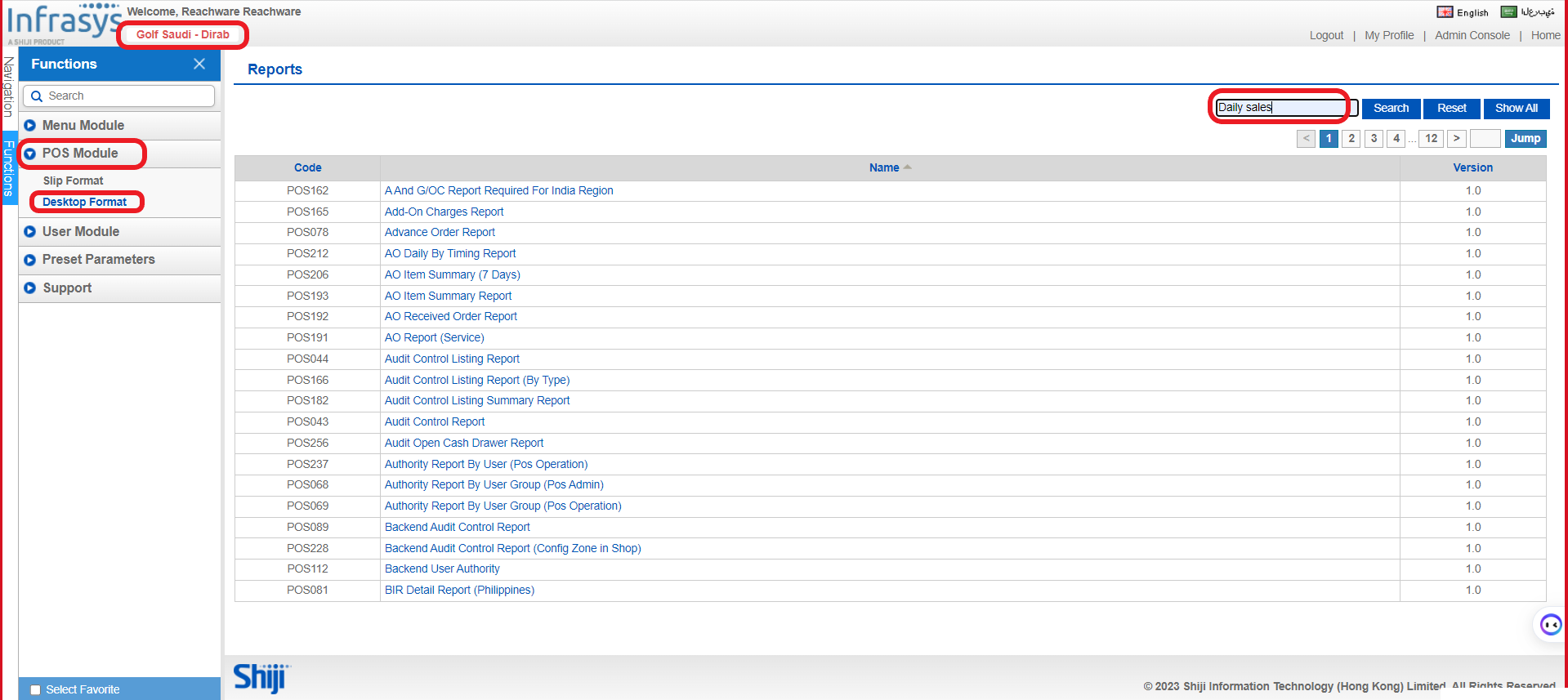
Please follow the below steps to access the sales reports in Infrasys:
A. Make sure you are in the correct location.
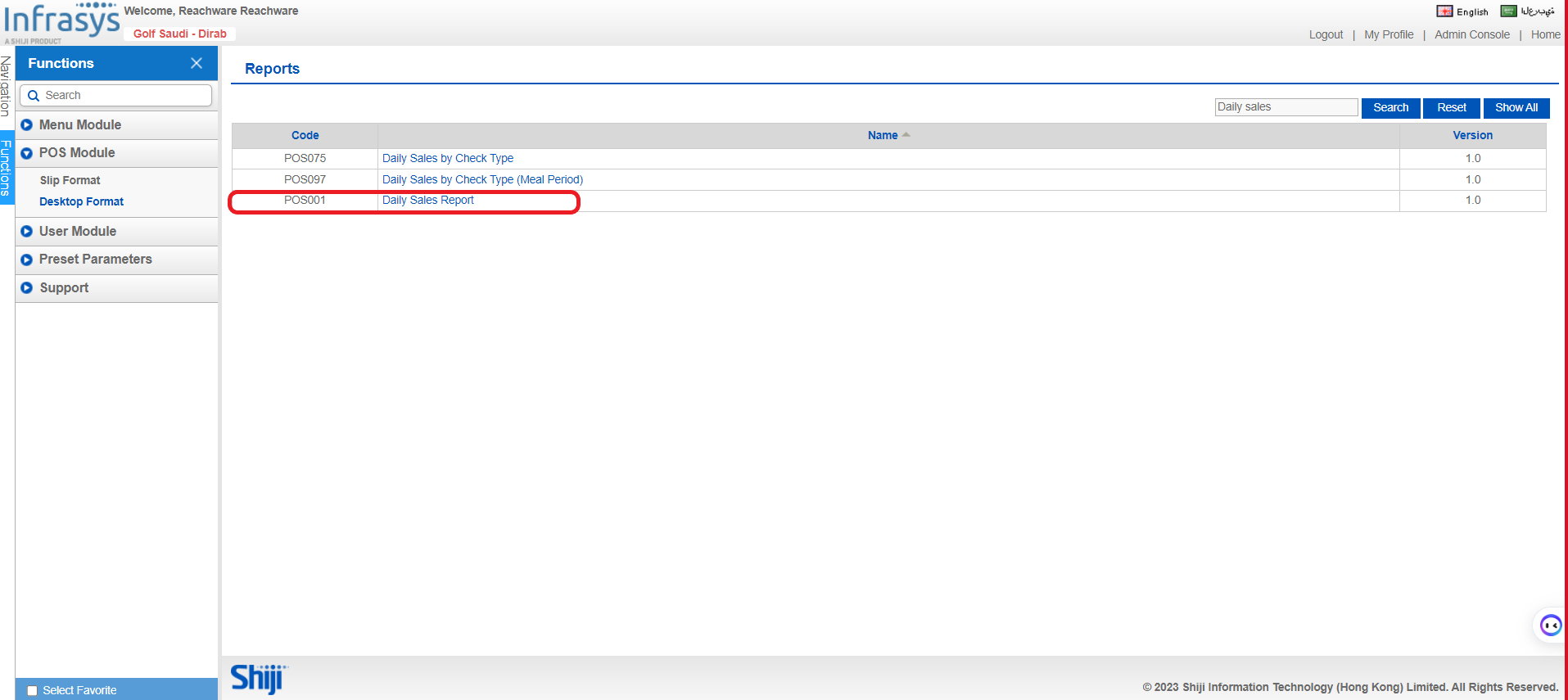
B. POS Module → Desktop Format → Search bar → Daily Sales → POS001 Daily Sales Report
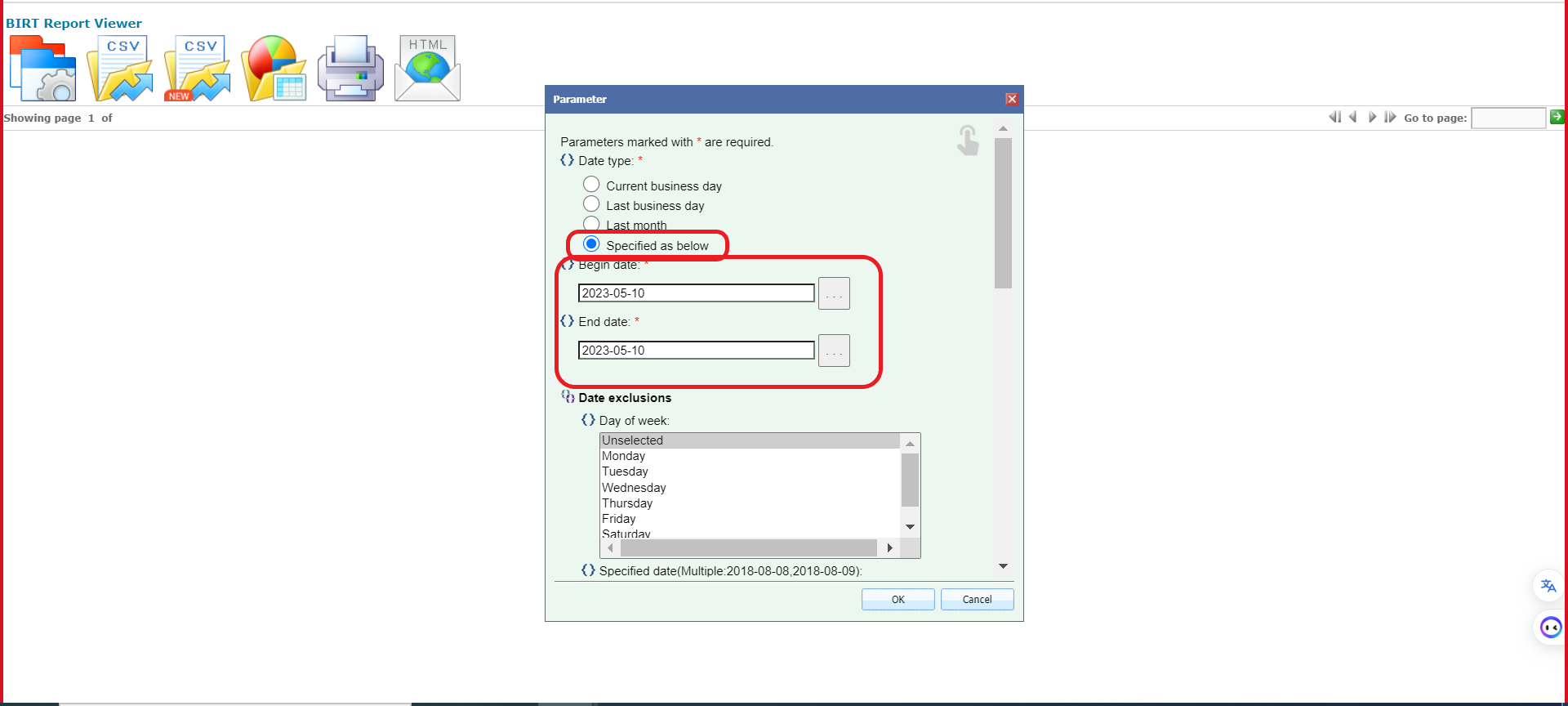
C. Please specify the begin and end date, and all the required fields.
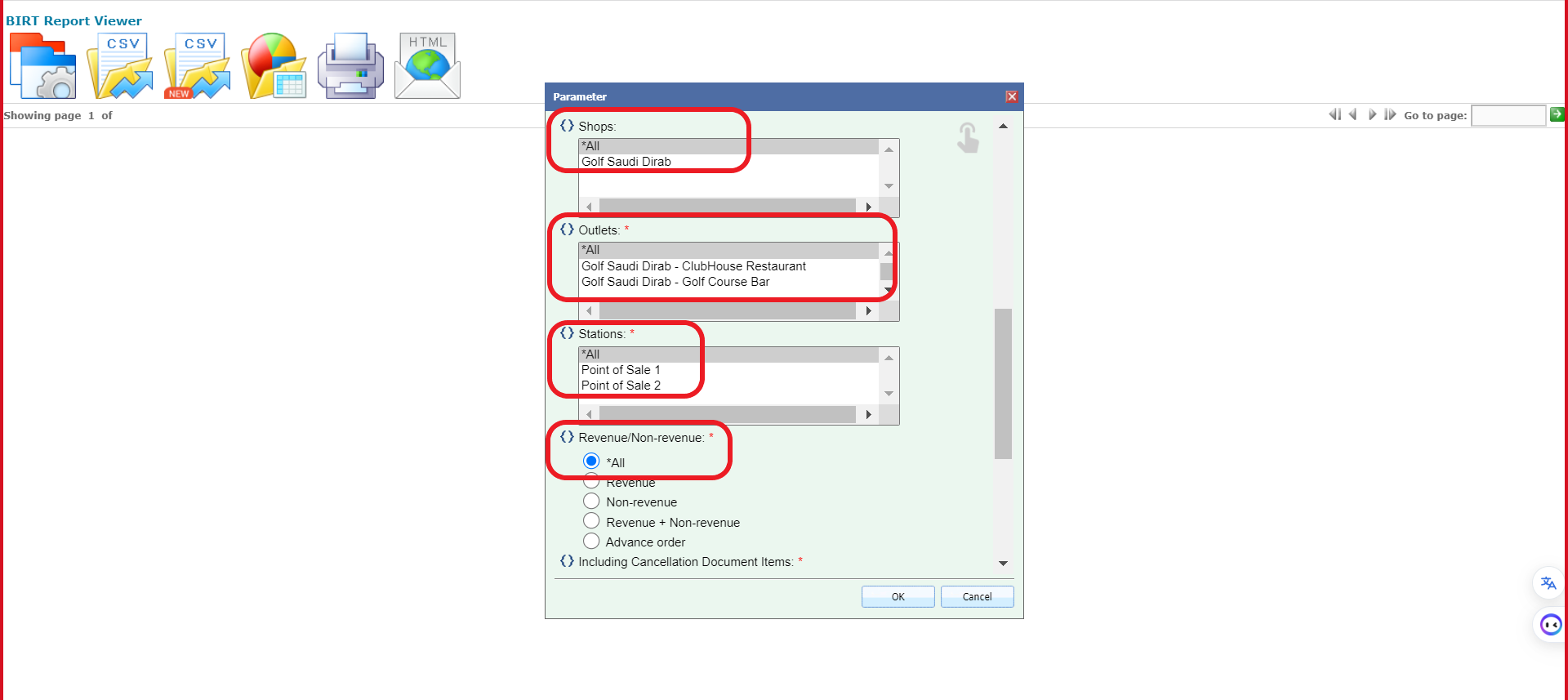
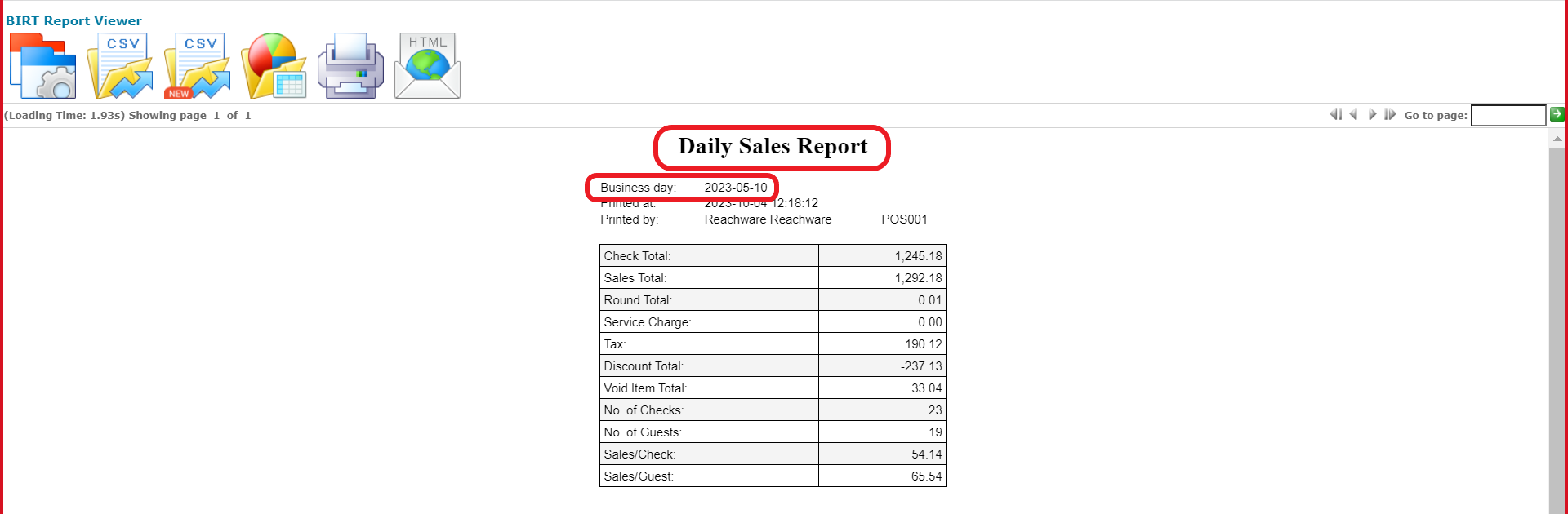
As seen below you can see the daily sales report for the specified date.
1.2 Daily Item Department Sales Report
Please follow the below steps to access the sales reports in Infrasys:
A. Make sure you are in the correct location.
B. POS Module → Desktop Format → Search bar → 141→ POS141 Daily Item Department Sales Report
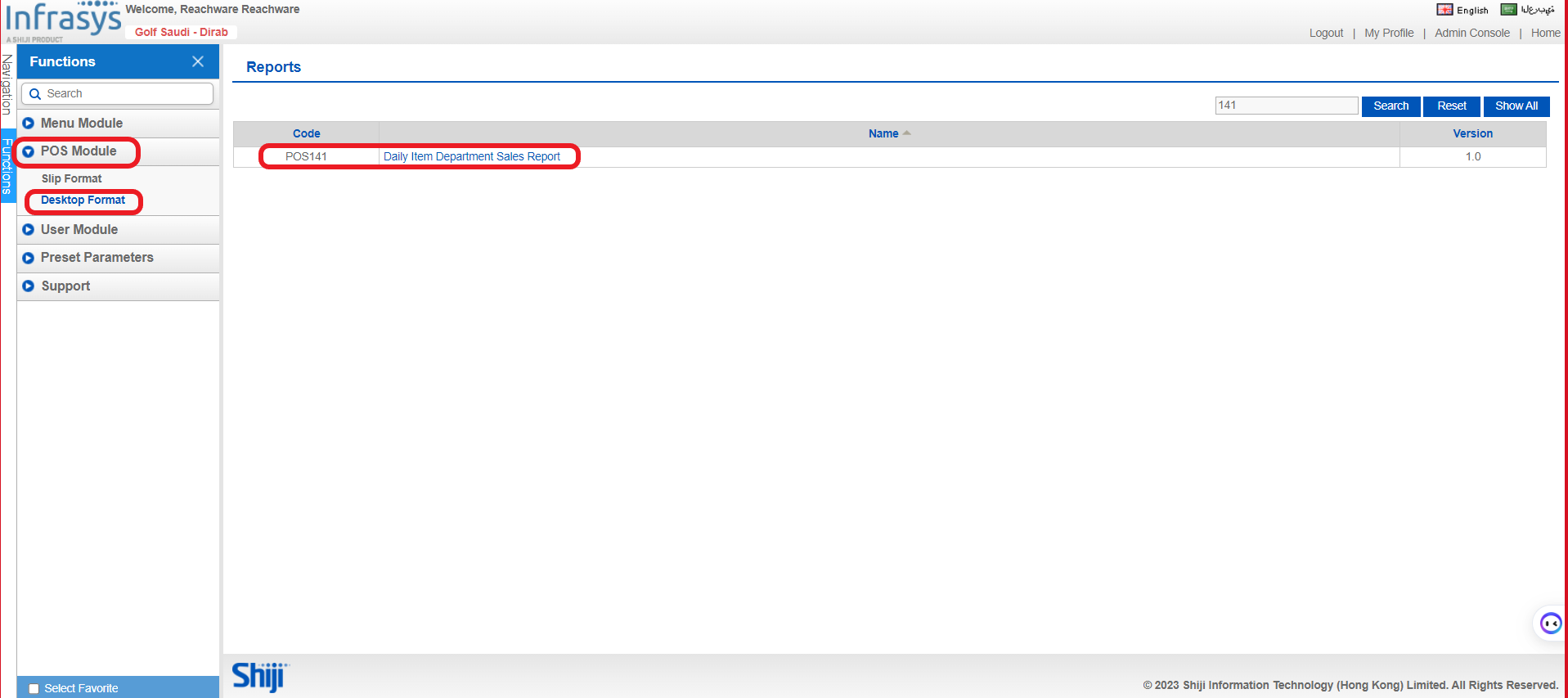
C. Please specify the begin and end date, and all the required fields.
 As seen below, you can see the food and beverage sales report for the specified date.
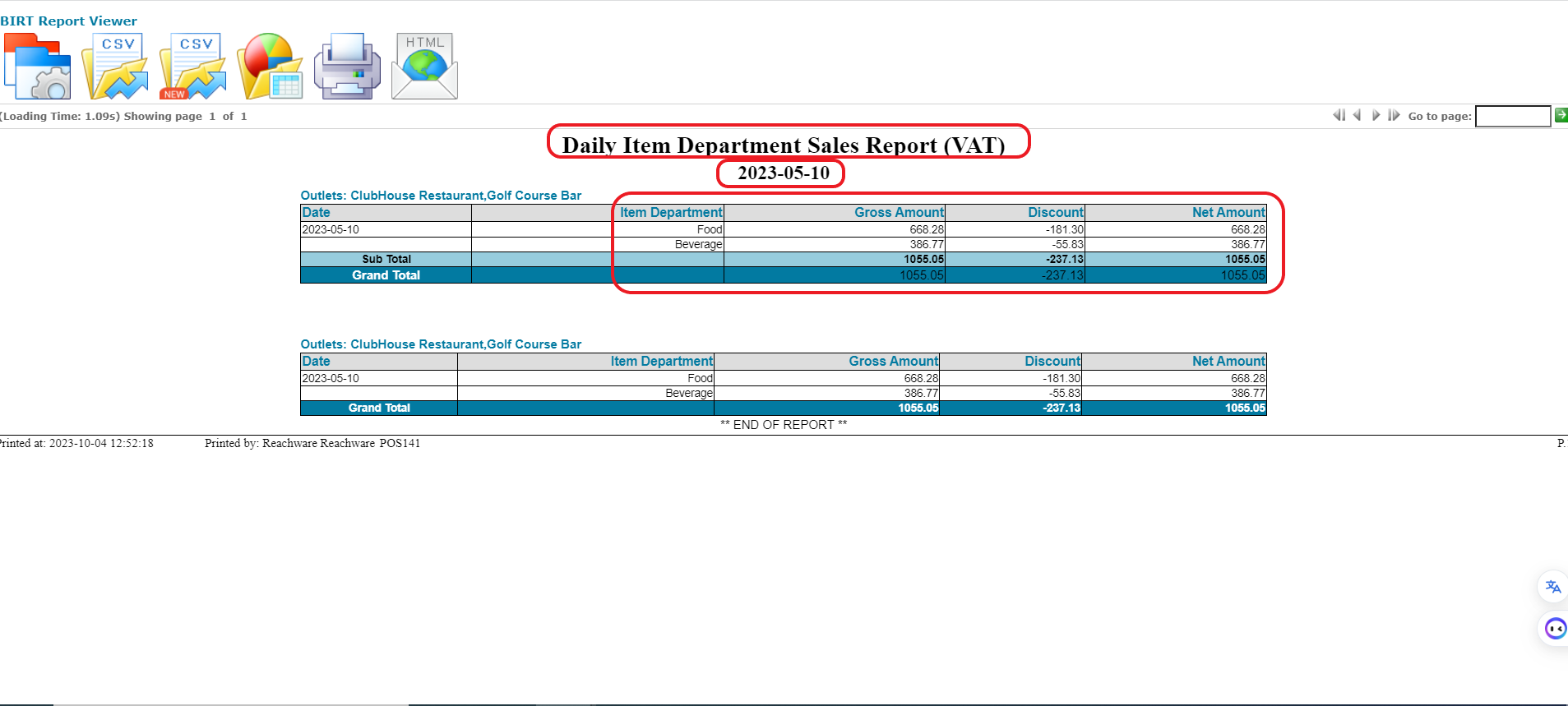
Please note that the amount in the Gross Account doesn’t include the discount.
1.3 Payment Report
Please follow the below steps to access the payment reports in Infrasys:
A. Make sure you are in the correct location.
B. POS Module → Desktop Format → Search bar → Daily Sales → POS001 Daily Sales Report
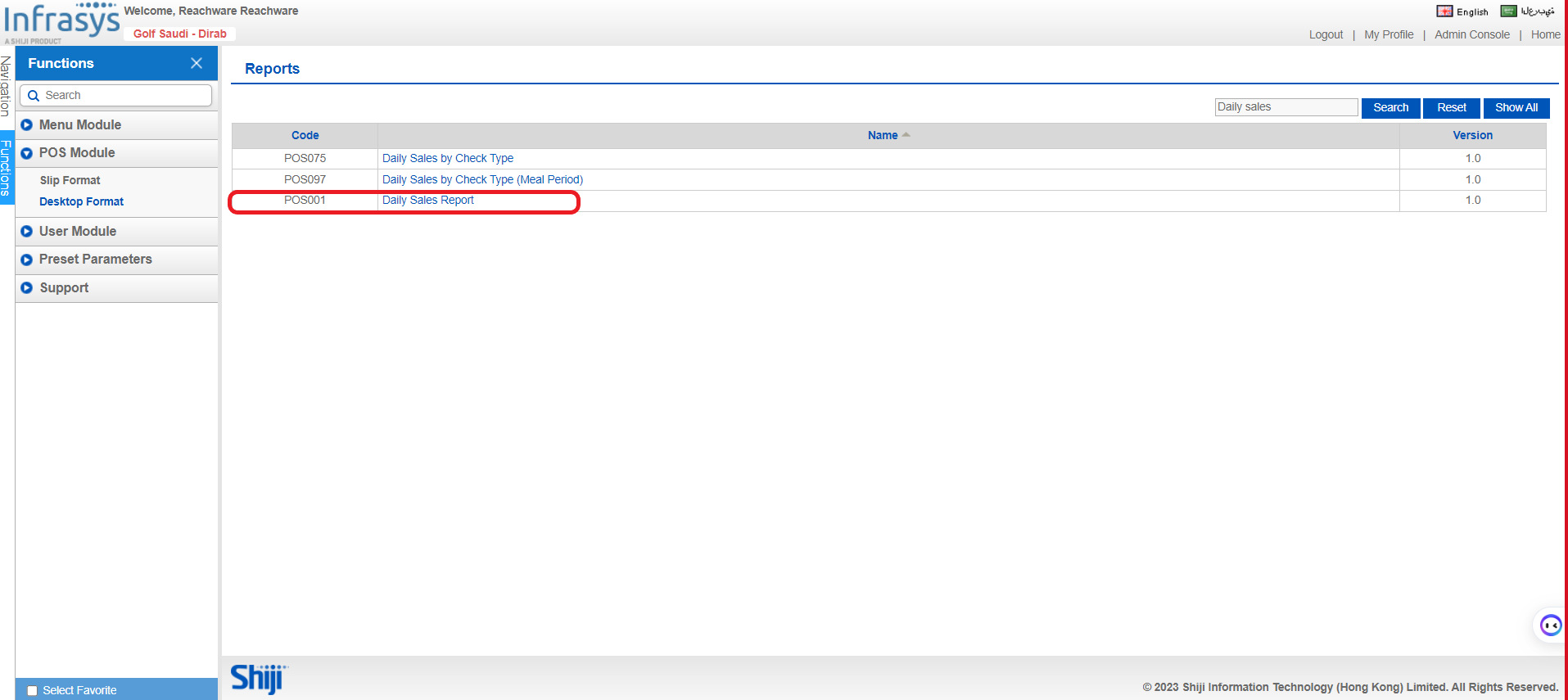
C. Please specify the begin and end date, and all the required fields.
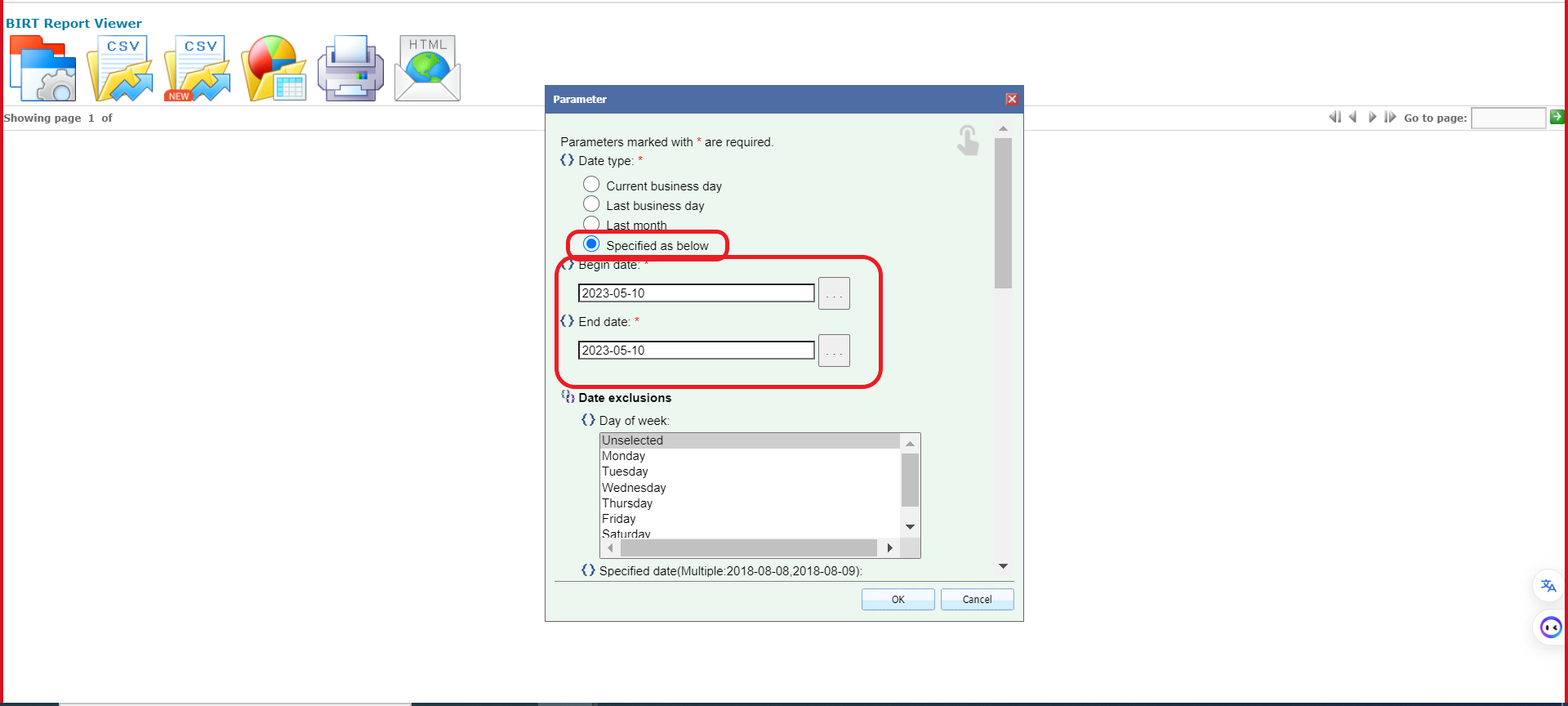

As seen below you can see the daily payment report for the specified date.
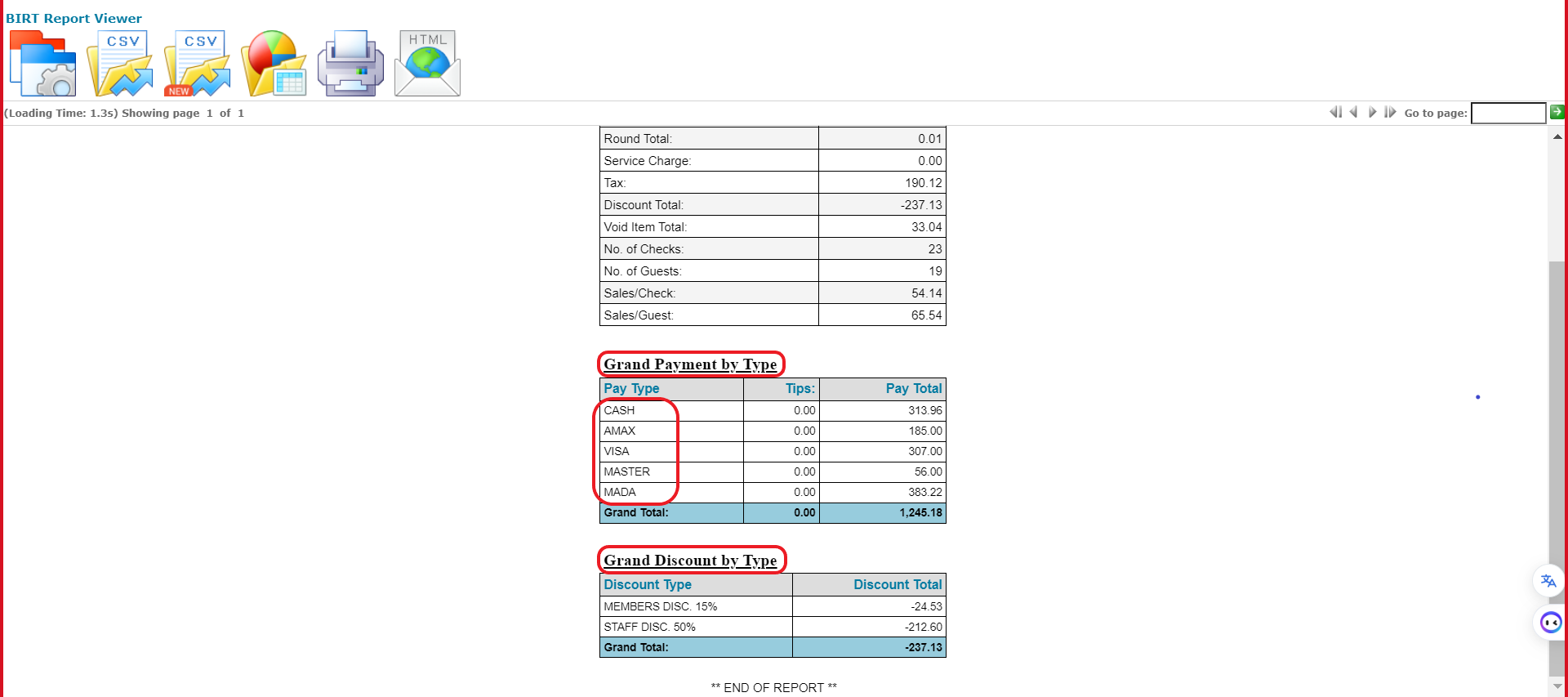
2. Oracle Fusion Report
2.1 Daily Sales Report
Please follow the below steps to access the sales reports in Oracle Fusion:
A. Home page → Search Bar → Manage Journal

B. Please specify the:
Journal Batch: Which location
Accounting Period: Which year and month
Source: From which POS
Category: Sales or payment
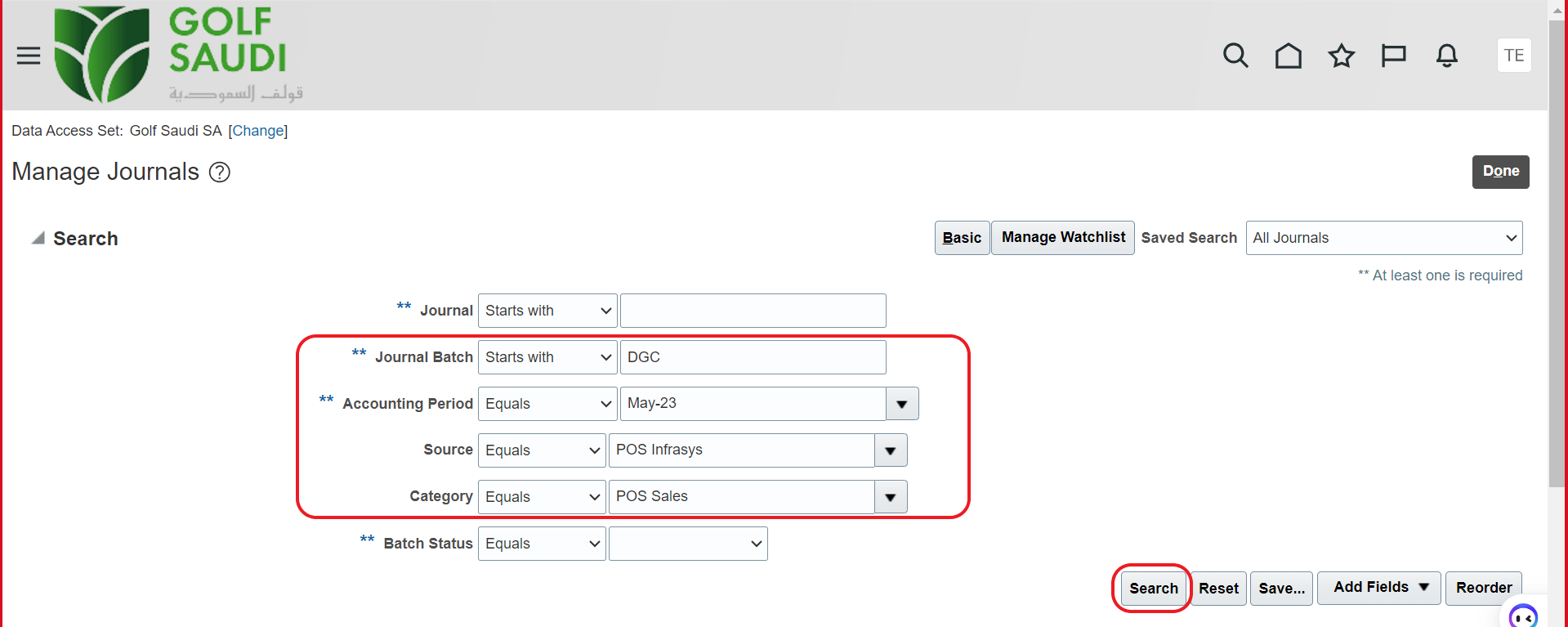
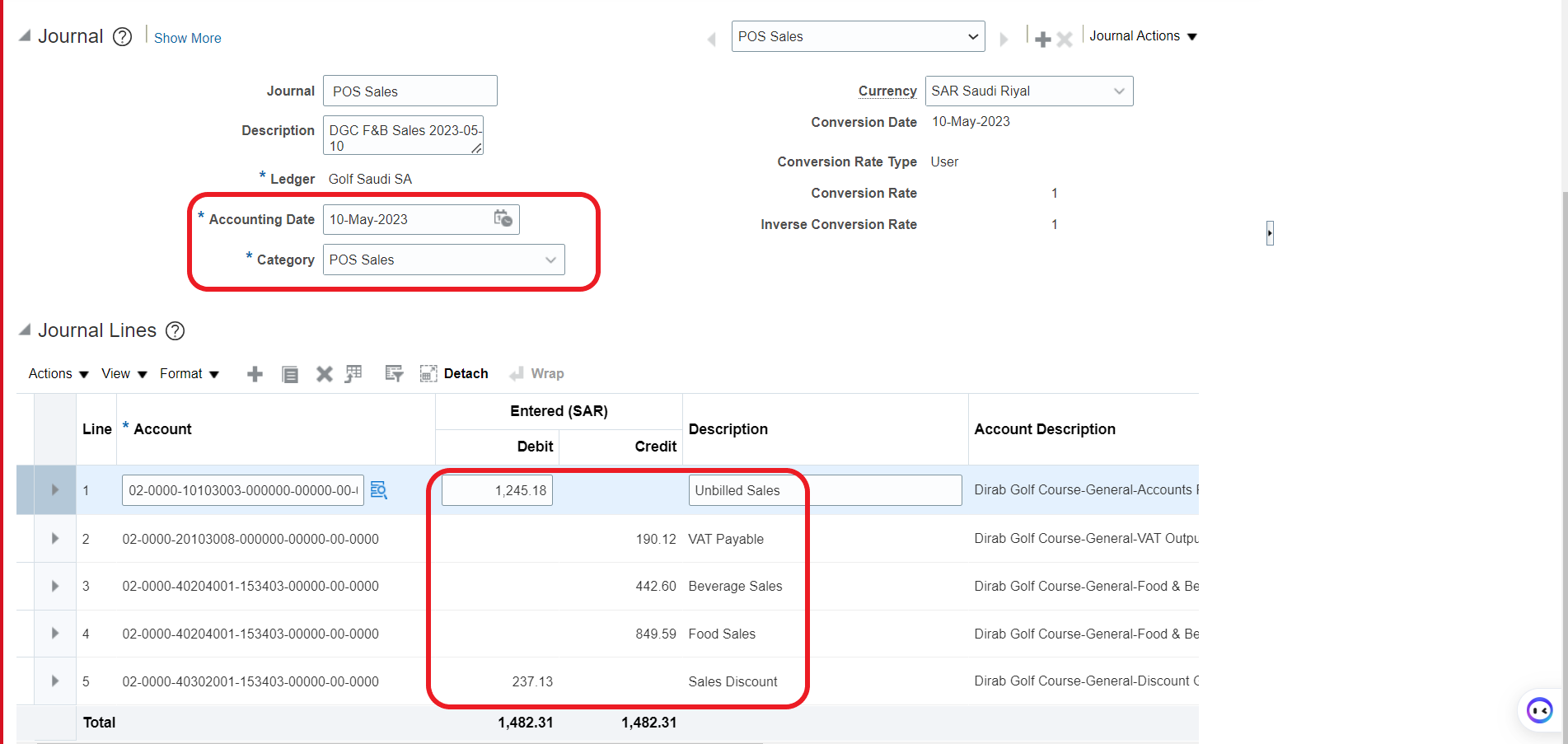
As seen below, it will show sales report for May.
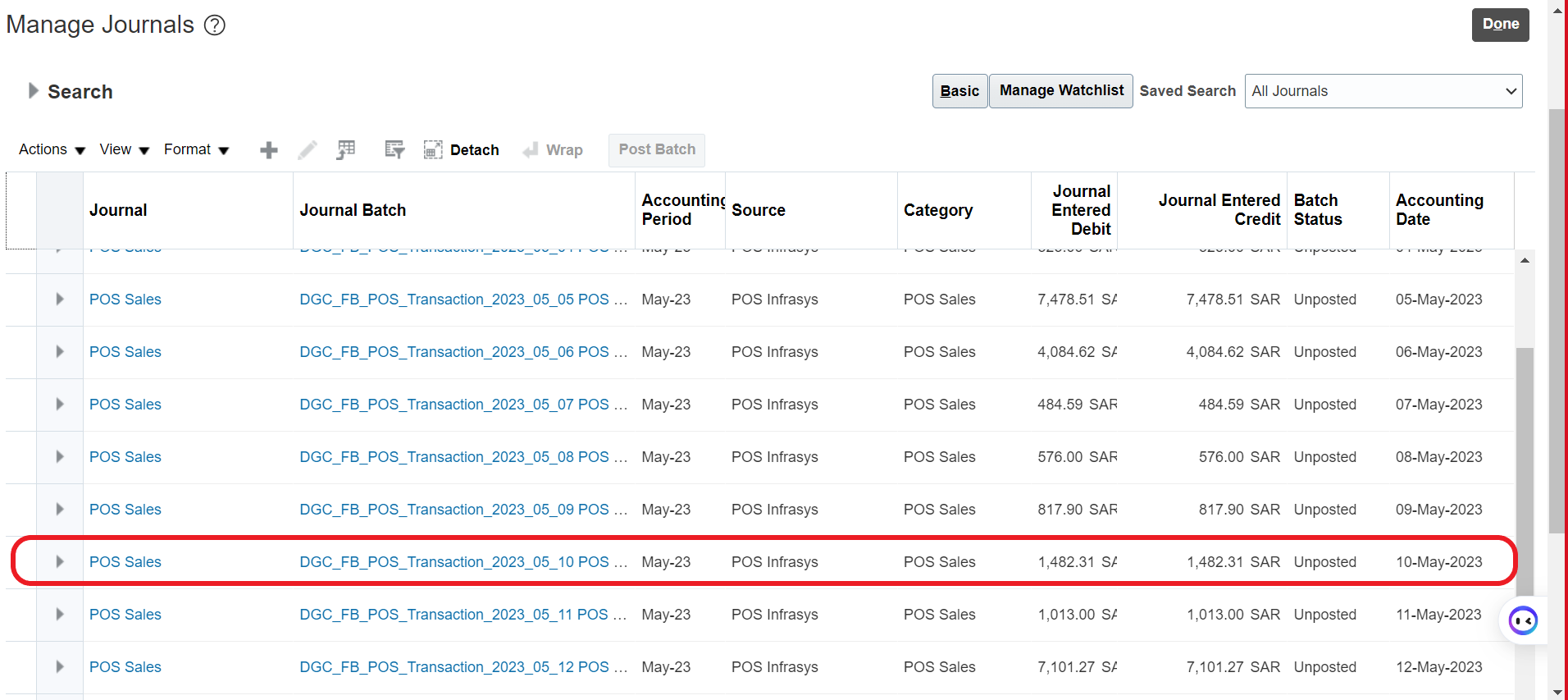
2.2 Payment Report
Please follow the below steps to access the sales reports in Oracle Fusion:
A. Home page → Search Bar → Manage Journal
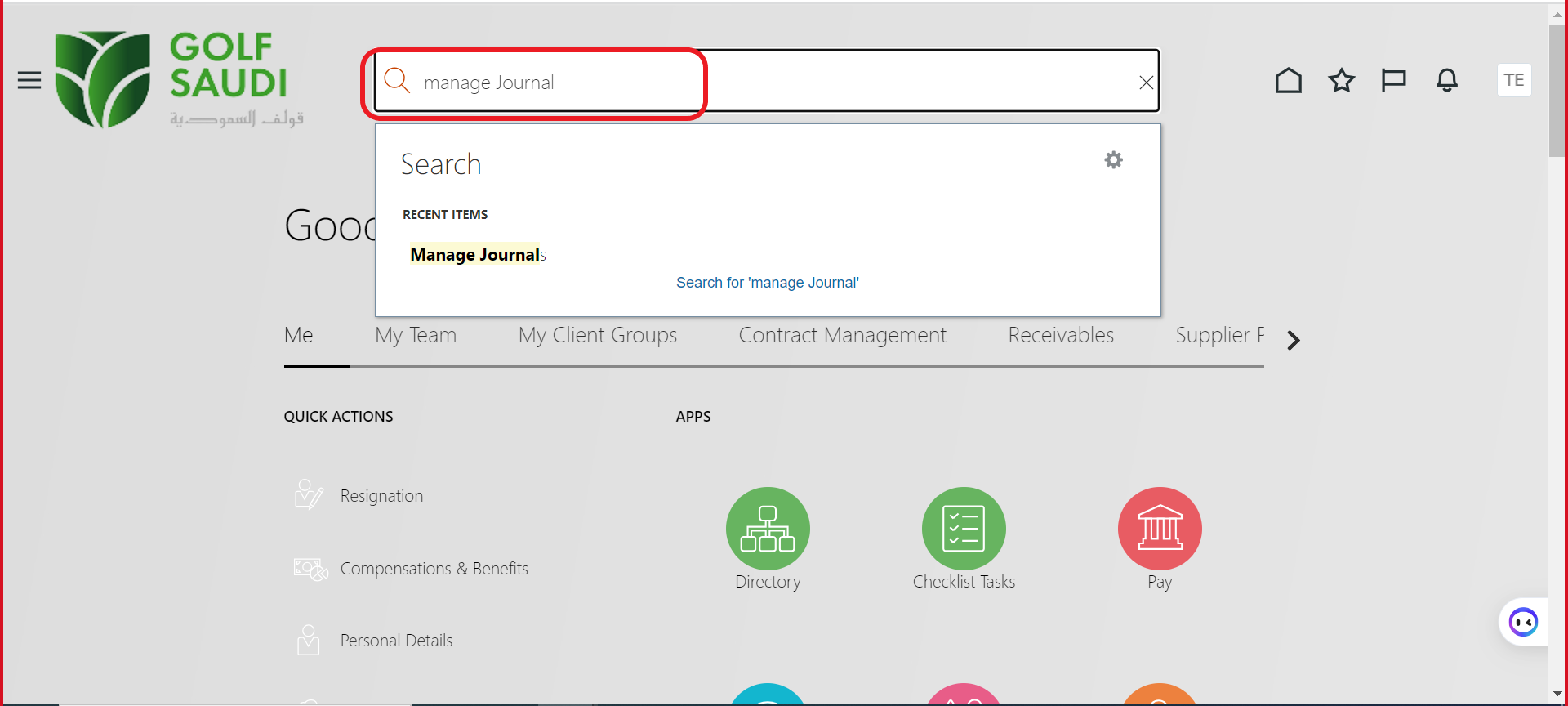
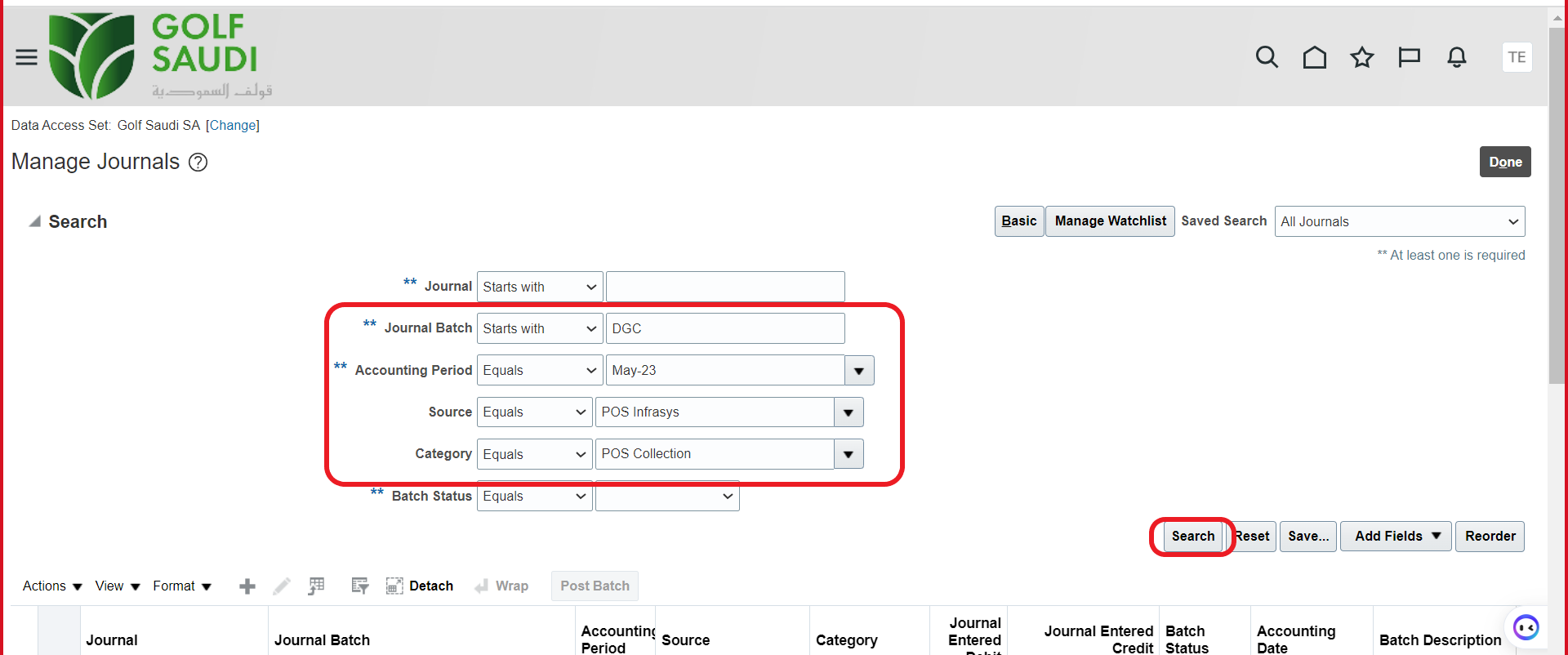
B. Please specify the:
Journal Batch: Which location
Accounting Period: Which year and month
Source: From which POS
Category: Sales or payment
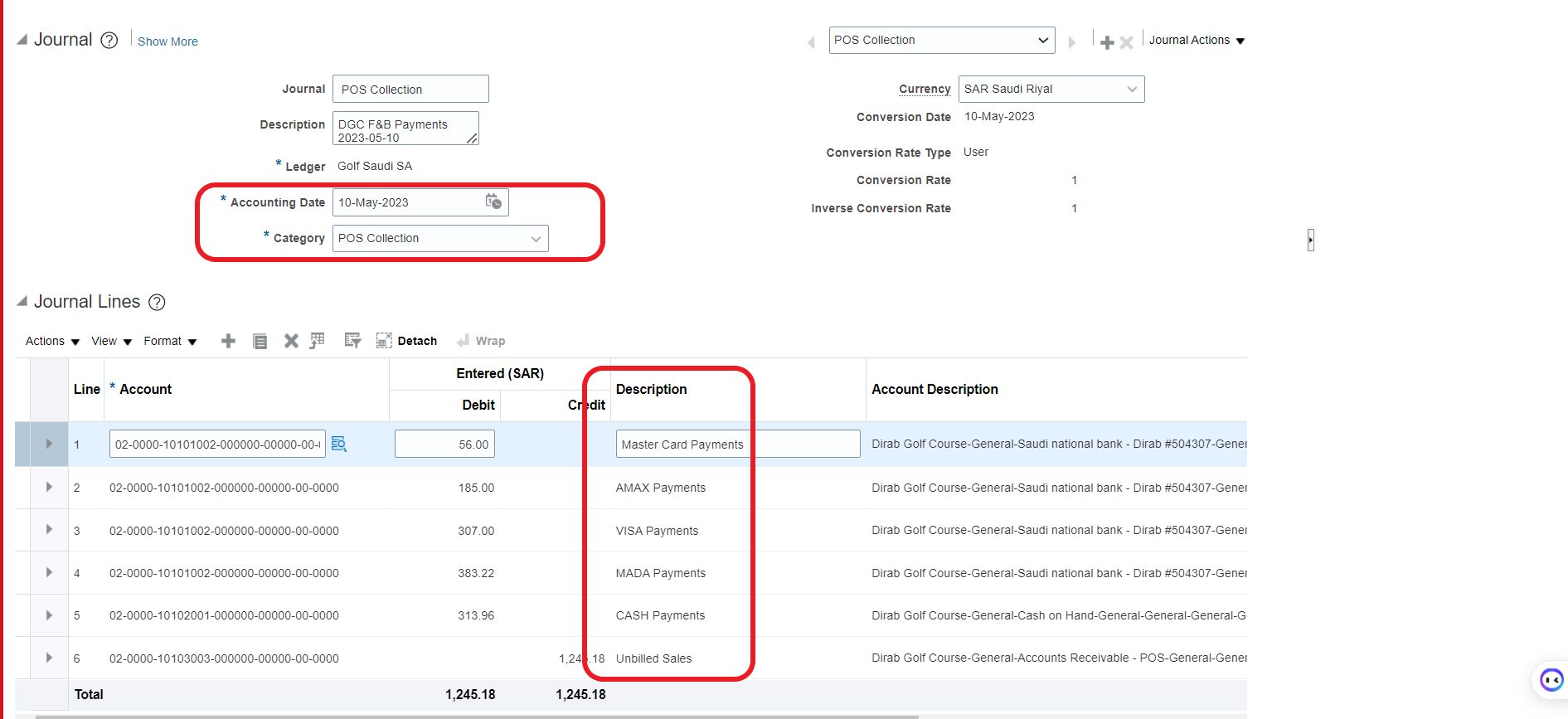
As seen below, it will show payments report for May.
3. Validation
3.1 Sales Validation
Please find the sales validation between Infrasys and Oracle Fusion.

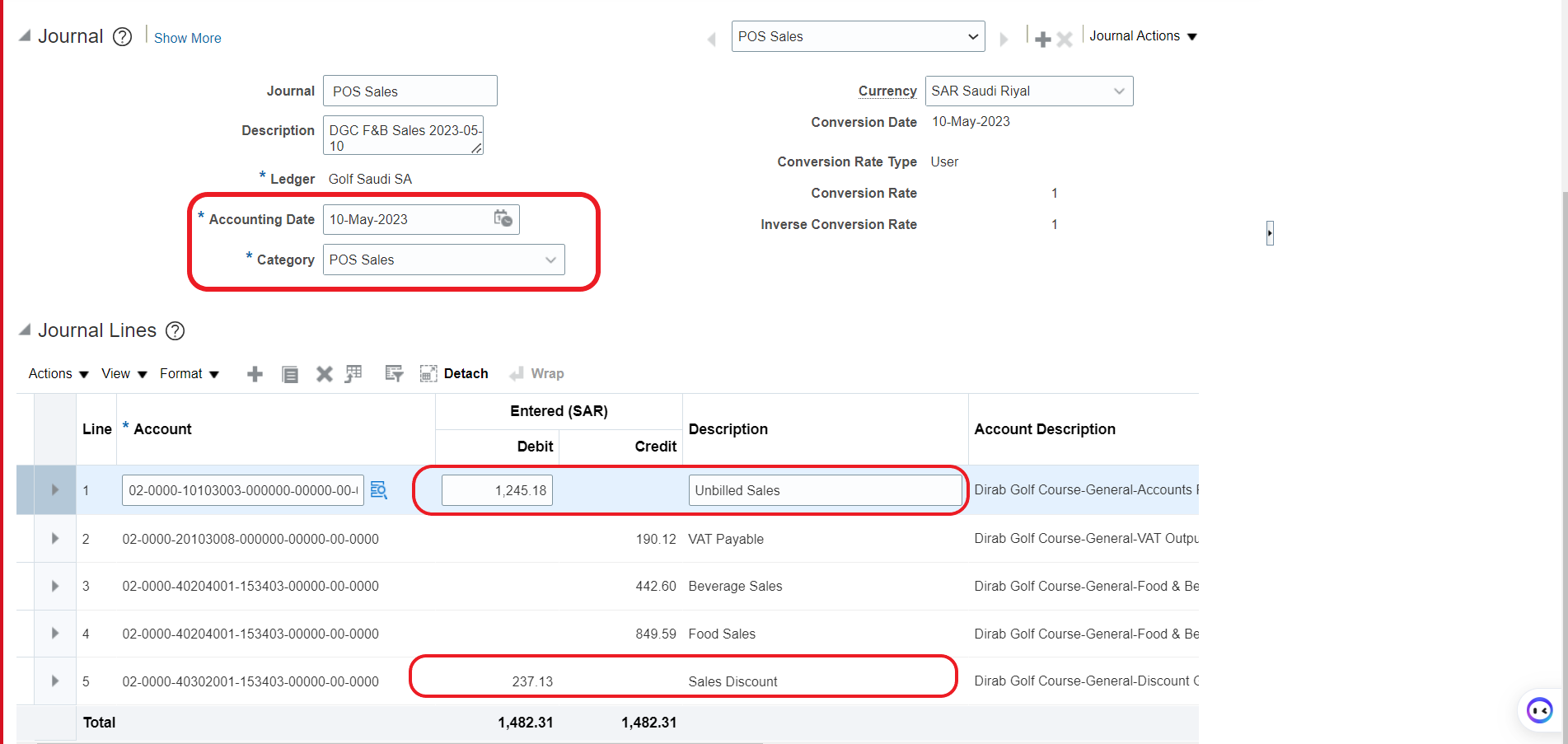
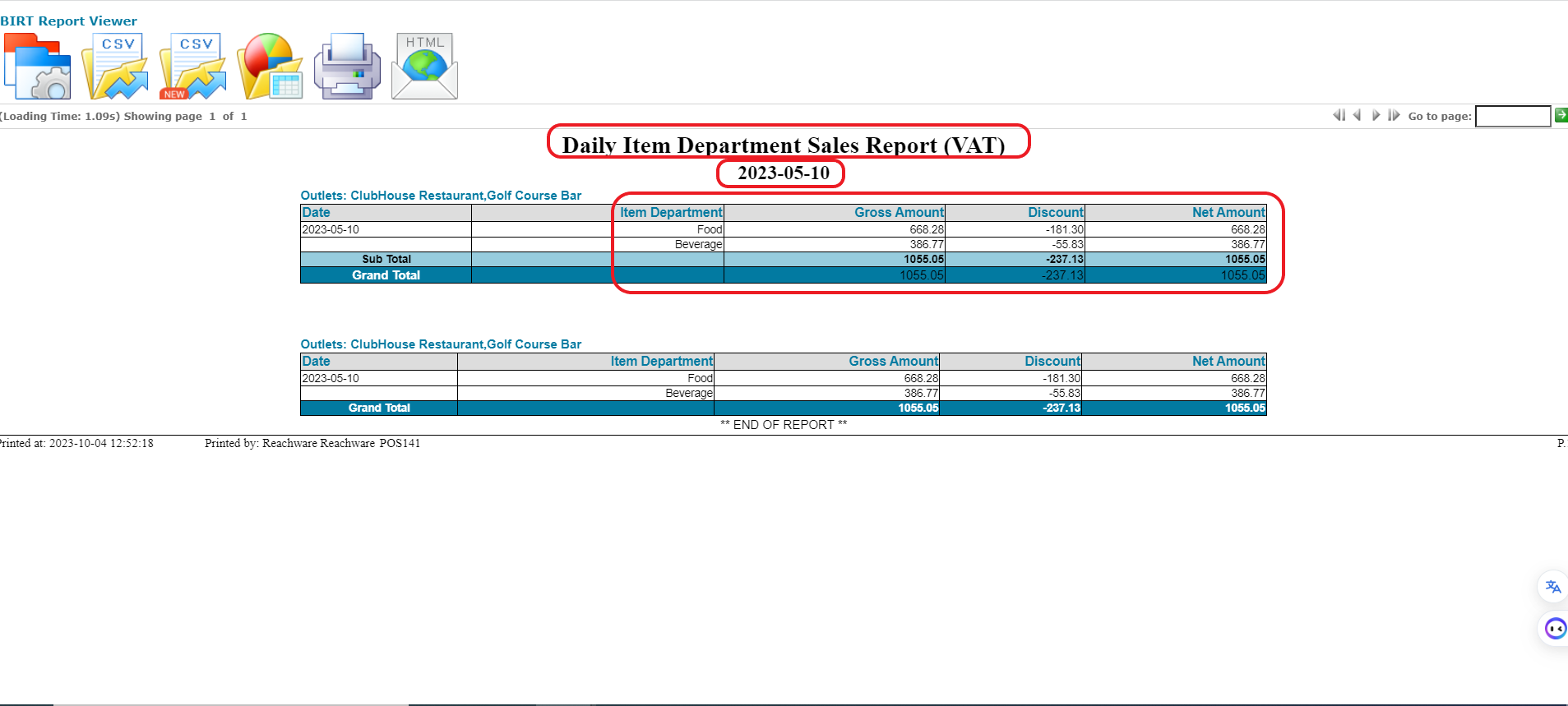
While validating the daily item department sales report, please not that the gross amount is stated without the discount amount, the sum of the gross amount and discount equals the amount that’s stated on oracle fusion as food or beverage.
3.2 Payment Validation
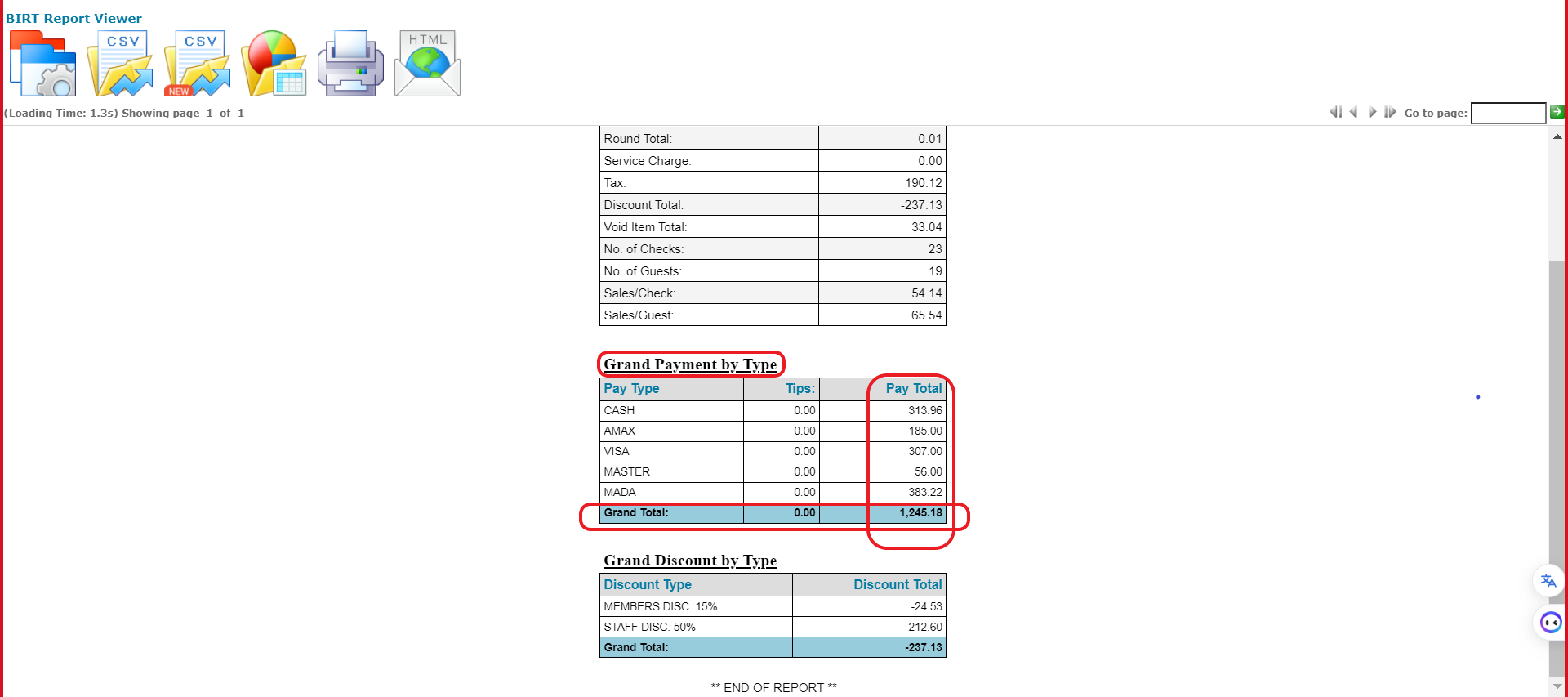
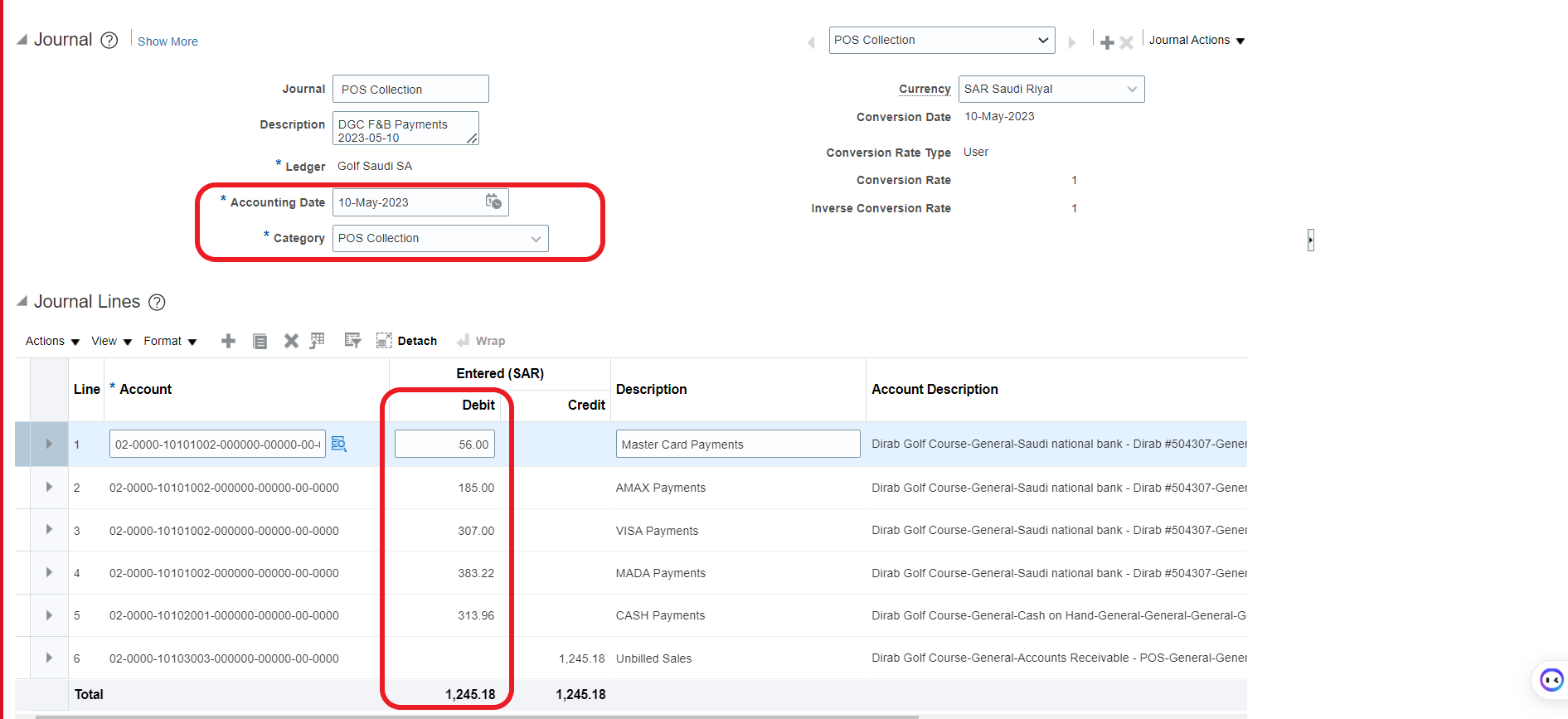
Was this article helpful?
That’s Great!
Thank you for your feedback
Sorry! We couldn't be helpful
Thank you for your feedback
Feedback sent
We appreciate your effort and will try to fix the article