TABLE OF CONTENTS
Integration Scope
Open Ticket
Close Ticket
Re-Open Ticket
1. Open Ticket
1.1 Create Contact
To create a ticket, a contact must be created.
Please follow the below steps to create a contact on Freshdesk:
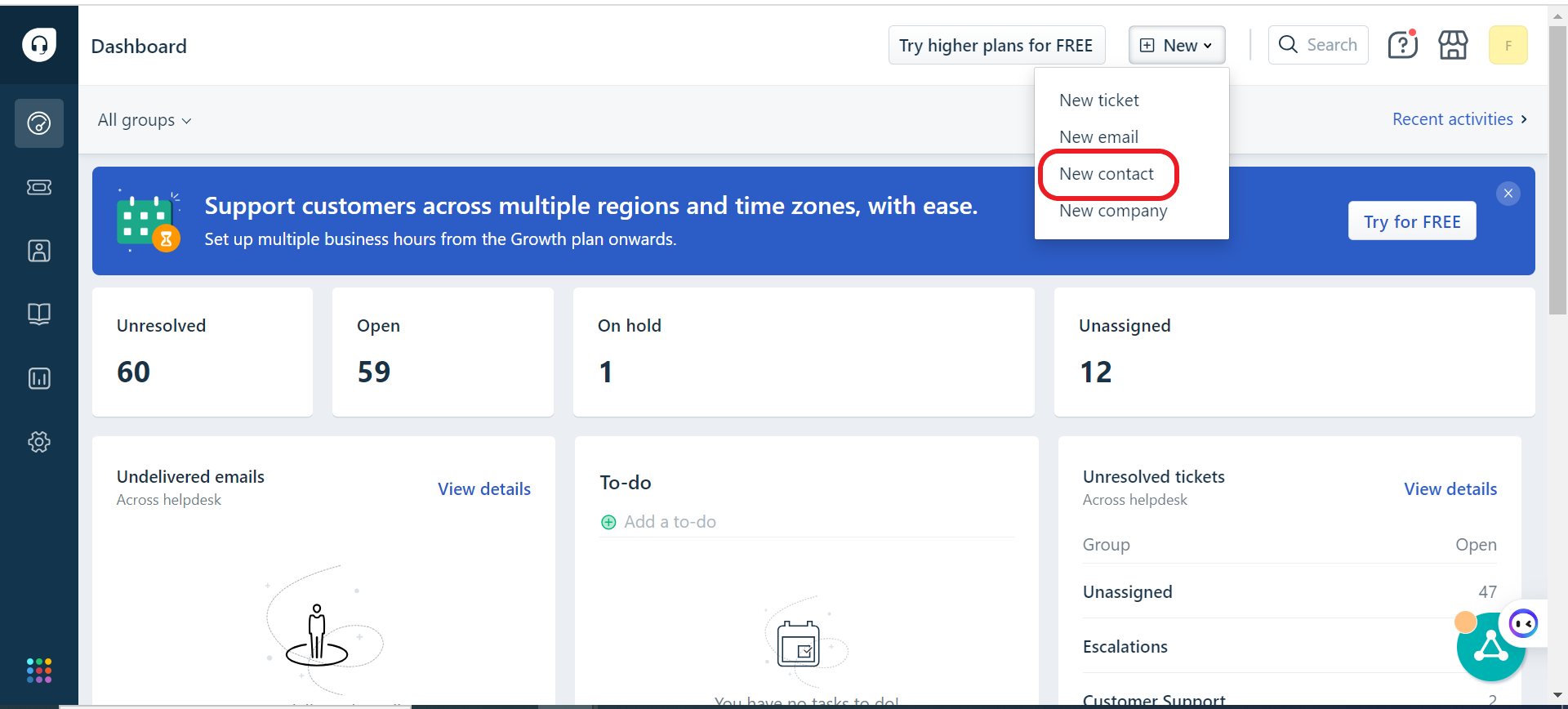
While creating the contact please make sure that the phone number is in the correct format, and the time zone is Riyadh.
1.2 Create Ticket
Please follow the below steps to open a ticket on Freshdesk:
Tickets → New → New Ticket
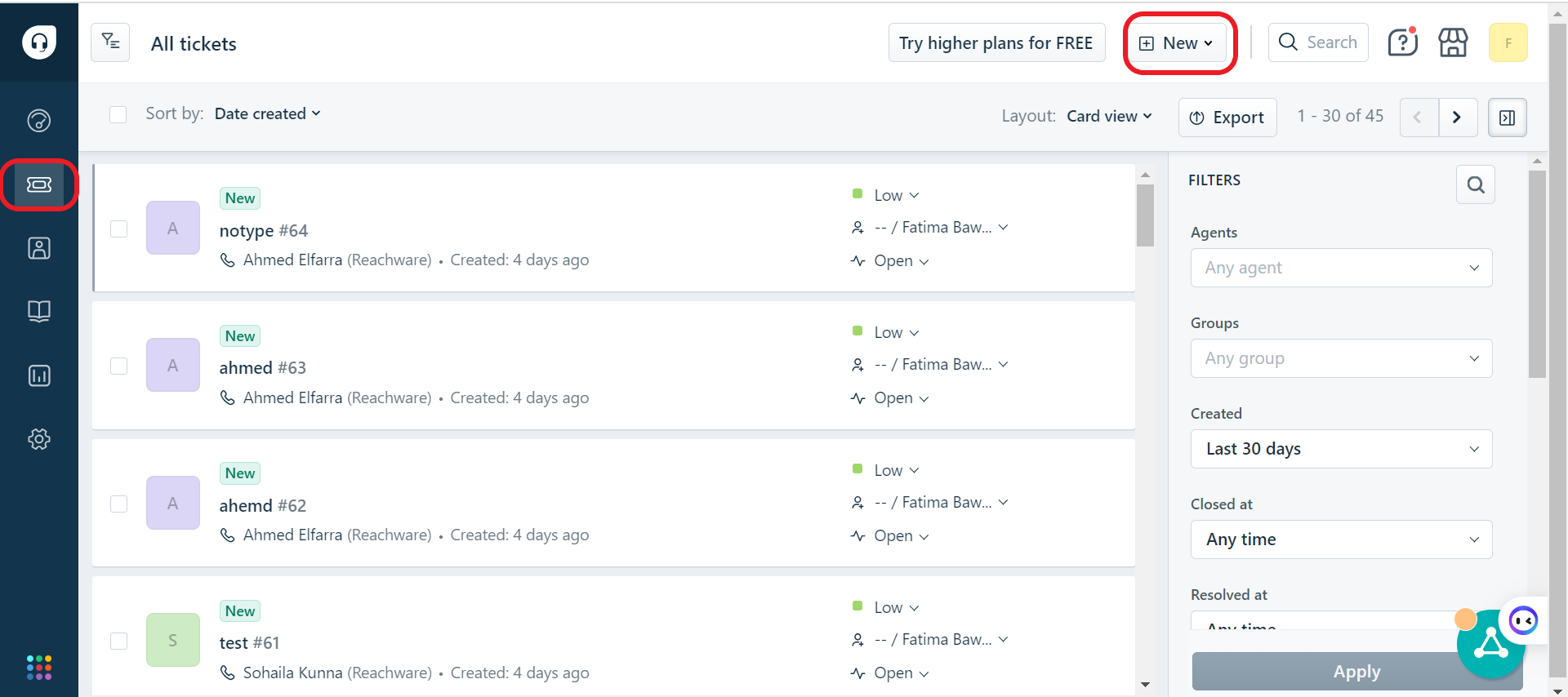
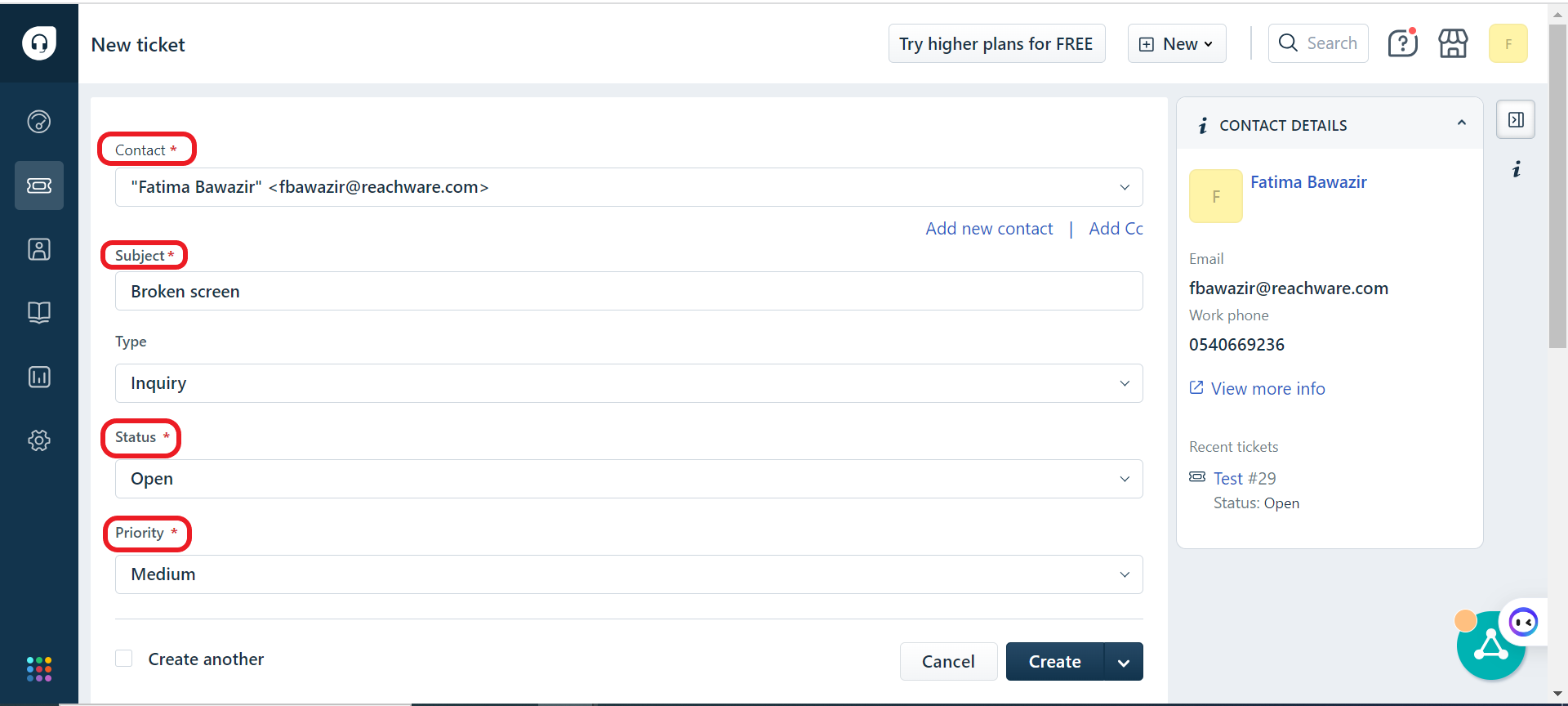
Please fill in the required fields:
Contact
Subject
Status
Priority
Description
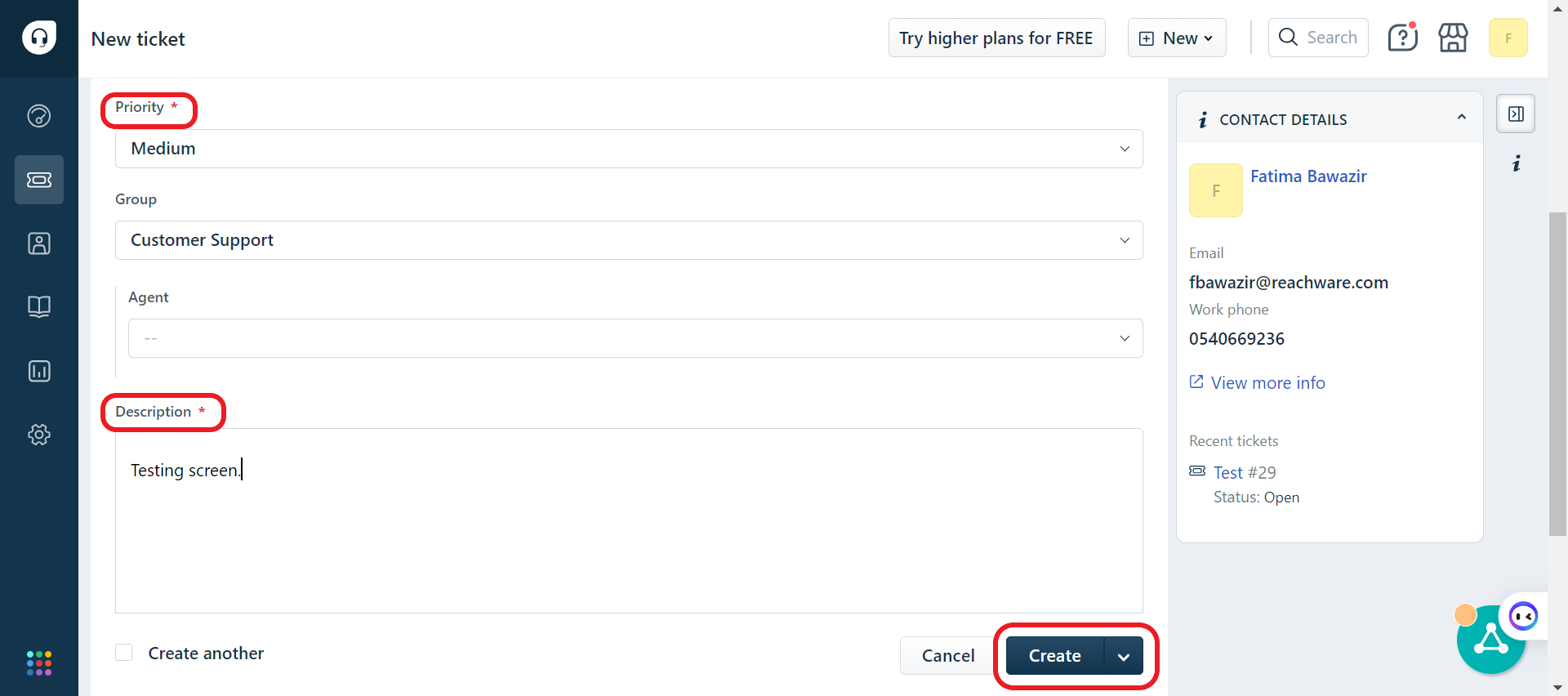
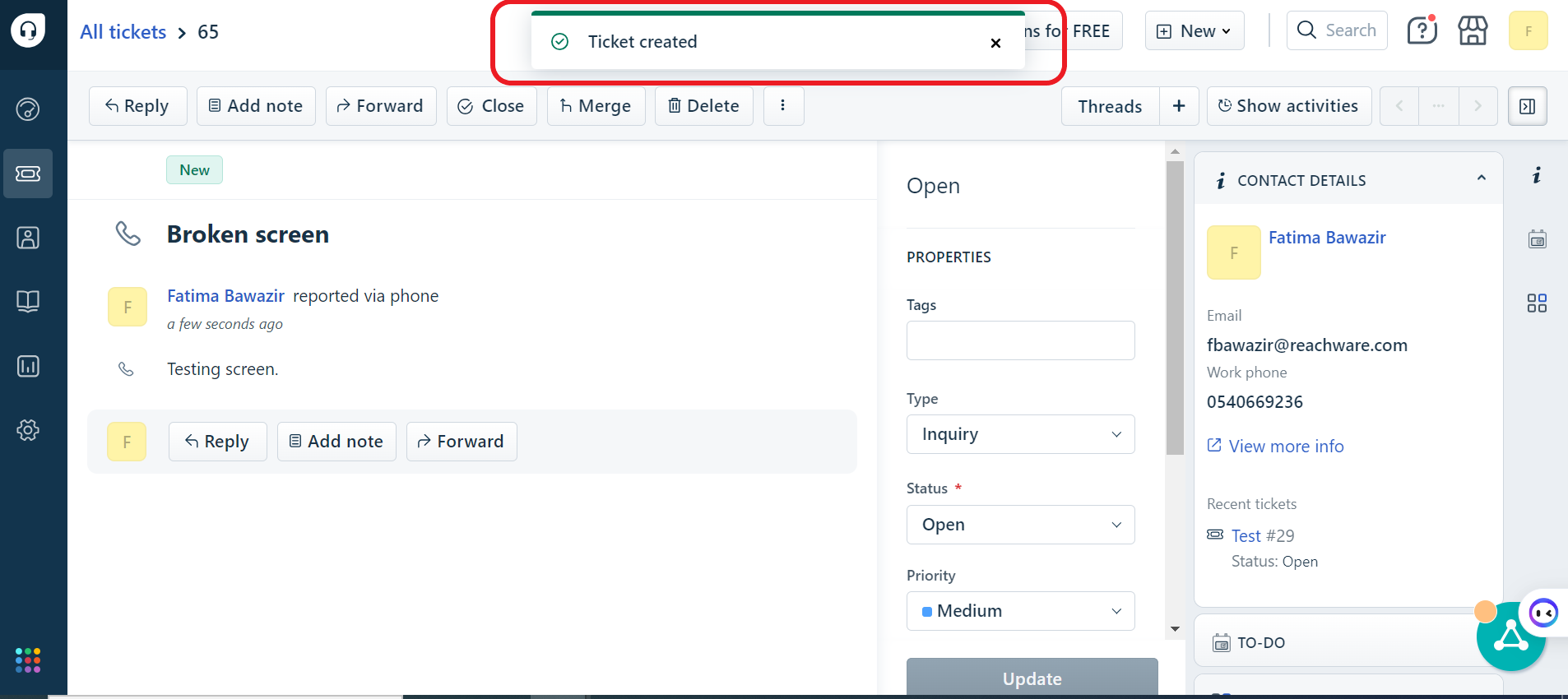
After creating the ticket, you can see the ticket details and update the ticket as well.
Once the ticket is created, it will directly send the SMS
2. Close Ticket
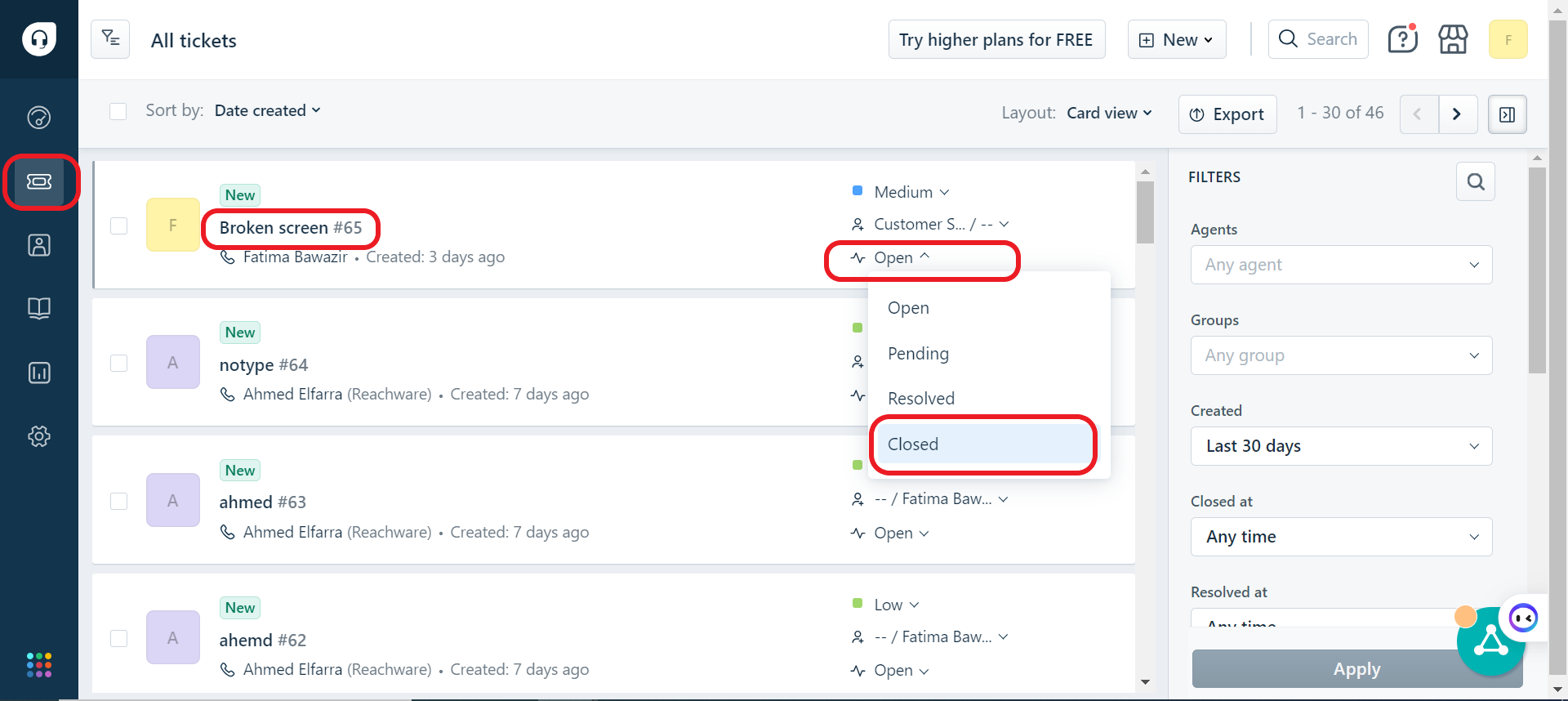
Please follow the below steps to close a ticket on Freshdesk:
Tickets → Ticket status → Close Ticket, you can also click on the ticket and close it from the ticket details.
3. Re-open ticket
Please follow the below steps to re-open a ticket on Freshdesk:
Tickets → Ticket status → Re-open Ticket, you can also click on the ticket and re-open it from the ticket details.

4. Taqnyat
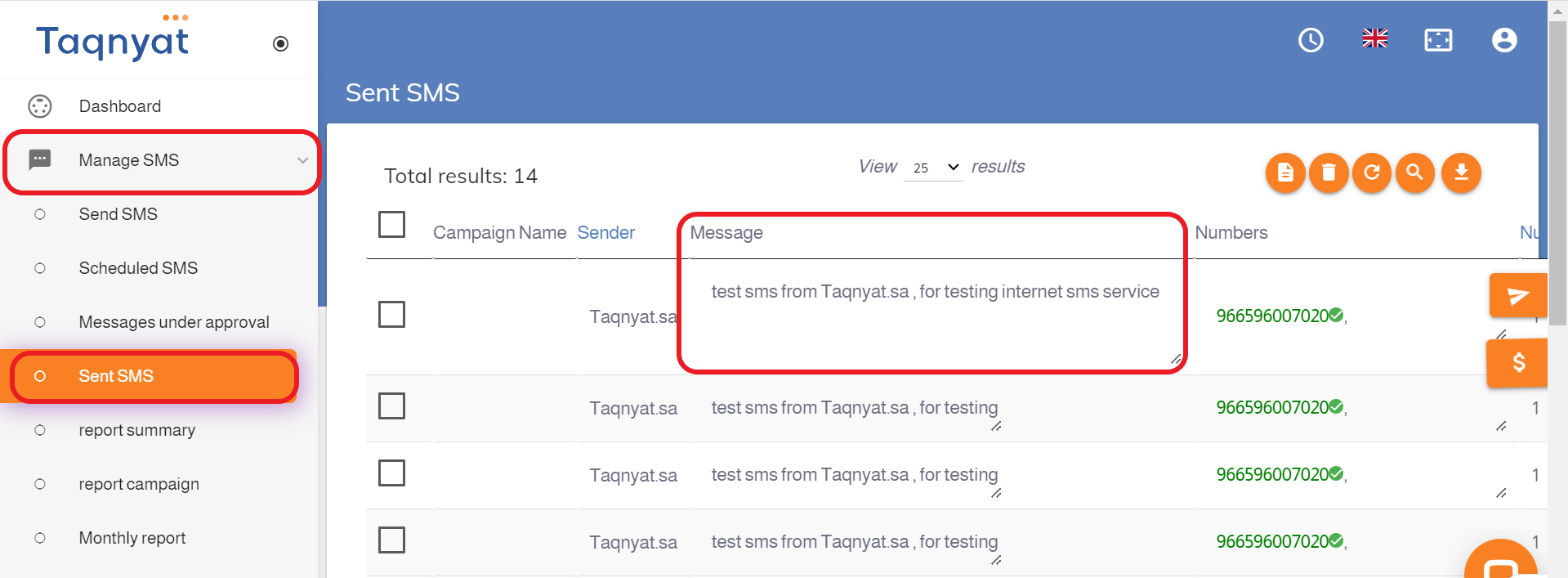
To view the SMS message that was sent, please follow the steps below on Taqnyat:
Manage SMS → Sent SMS → Message
Was this article helpful?
That’s Great!
Thank you for your feedback
Sorry! We couldn't be helpful
Thank you for your feedback
Feedback sent
We appreciate your effort and will try to fix the article