OAuth 1.0 is an older but still-used protocol for secure authorization. Unlike OAuth 2.0, OAuth 1.0a uses cryptographic signatures and does not rely on bearer tokens.
It is more complex but adds an extra layer of security by requiring every request to be signed.
How It Works
The client requests a Request Token from the service provider.
The user authorizes the Request Token.
The client exchanges the authorized Request Token for an Access Token.
Every API request is signed using the consumer secret, token secret, and request data.
Common Use Cases
Older systems still relying on OAuth 1.0 (e.g., legacy financial services, some older APIs)
Systems requiring secure request signatures for added integrity
OAuth 1.0a Credentials Needed
Consumer Key
Consumer Secret
Token
Token Secret
Signature Method (e.g., HMAC-SHA1)
Nonce and Timestamp (auto-generated for each request)
Adding OAuth 1.0 to a System
Configure Authentication
Navigate to Studio > Systems:
Go to the Studio section on the Reachware platform. In the left-hand navigation, select Systems to access the system management interface and Click the "Add New System" button to initiate the process of adding a new system
In the Authentication section, select OAuth 1.0
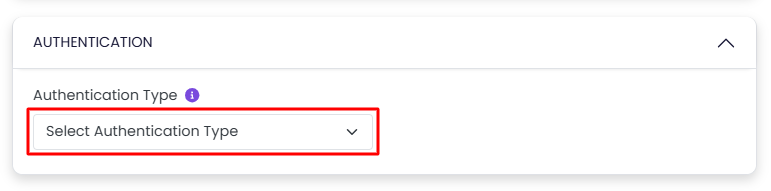
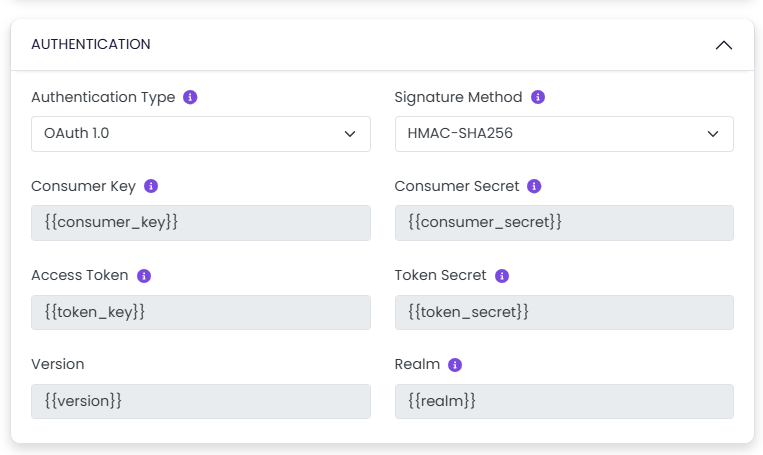
Once selected, the following variable fields will be shown:
Consumer Key: Identifies your app to the API provider.
Consumer Secret: A private key that proves your app's identity.
Token: Represents the user who authorized your app.
Token Secret: Works with the token to verify user access.
Signature Method: The algorithm used to sign and secure the request (e.g., HMAC-SHA1).
These fields are dynamic (variables), allowing reuse across multiple client Connections.
Go to the System Variables section:
Set initial values (defaults)
These can be overridden per Connection, allowing flexibility for different client setups.
Related Topics
Was this article helpful?
That’s Great!
Thank you for your feedback
Sorry! We couldn't be helpful
Thank you for your feedback
Feedback sent
We appreciate your effort and will try to fix the article