
Contact Information
If you have any questions regarding this document, please contact the project team in Reachware
Email: integration@reachware.com
Document Version
Version | Issue Date | Issued By | Notes |
1.0 | 12-08-2024 | Asmaa Eissa | Initial Scope Document |
|
|
|
|
|
|
|
|
|
|
|
|
Glossary and Abbreviations
Abbreviation | Description |
NS | NetSuite |
ERP | Enterprise Resource Planning |
GL | General Ledger |
JE | Journal Entry |
Integration Overview
Here is an evolving requirement document to discuss the required functionalities and customization to develop an integration between NetSuite ERP System and KayanHR.
Integration Design
NetSuite | KayanHR |
|---|---|
Class | Branch |
Cost center | Department |
Location | Work Location |
TABLE OF CONTENTS
- Contact Information
- Document Version
- Glossary and Abbreviations
- Integration Overview
- Integration Scope
- Run Payroll
- Mapping
- Journal Entry In NetSuite:
- Support in case of error:
Integration Scope
Financial transactions
Vacations
Vacation in advance
Tickets
Gosi
EOS
Provision
Off-cycle settlements
General Salary Details
Employees
Run Payroll
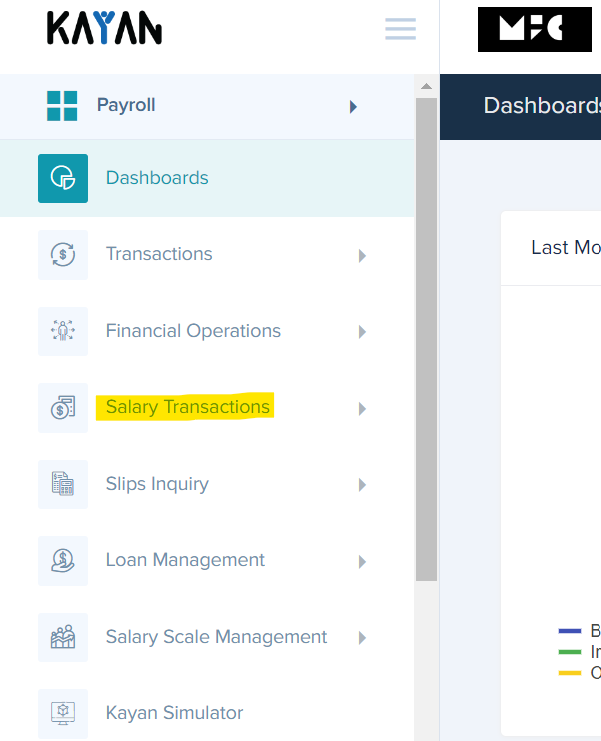
Please follow the below steps to run salaries to NetSuite:
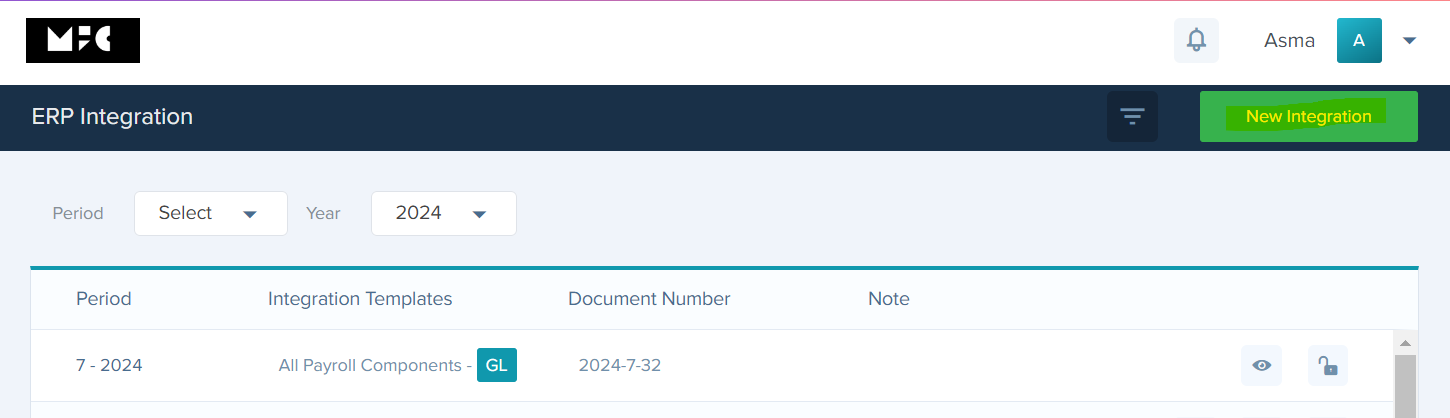
Go to Payroll> salary transaction> ERP integration> new integration.
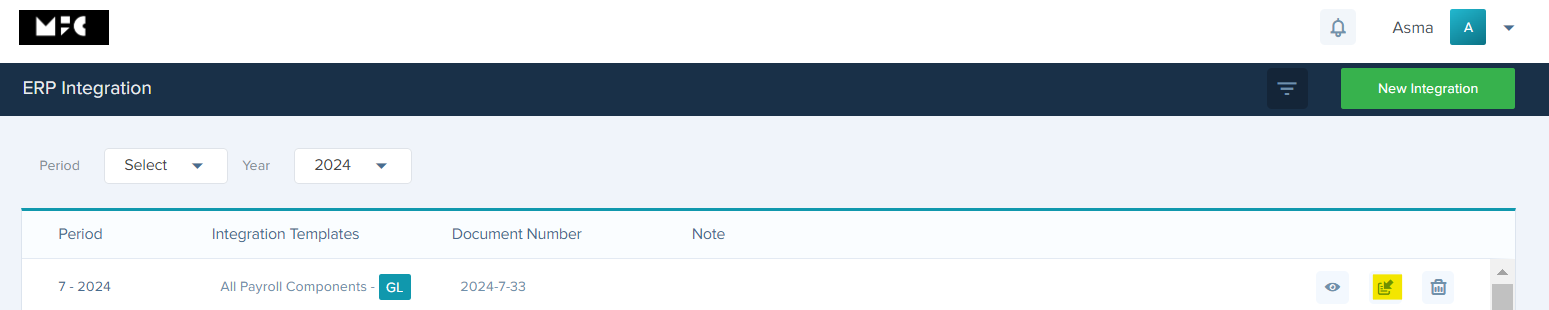
Next page> Choose the period and integration template then click Calculate.
Review employees> After that you will see Post



Mapping
Regarding Mapping, need to map Department, and location from NS side
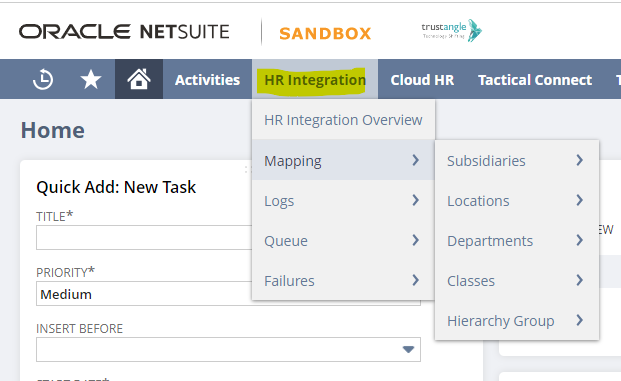
Please follow the below steps to run payroll to NetSuite:
Go to NS System
Select HR Integration tab> Mappers
Select Subsidiaries then Location then Department then classes and Hierarchy Group if you have them
Assign each type with its corresponding and change the status to Mapped.

Journal Entry In NetSuite:
Regarding Journal Entry, need to Go to NS System
Please follow the below steps to run payroll to NetSuite:
Go to NS system
Select reports>MFC reports > MFC Payroll reports.

You will also receive an email with the journal number that has been created as a link that you can click on and go to the journal directly.

Support in case of error:
Delete Salaries
If you have a problem with salaries not matching and you need to resend salaries, you must follow the following steps:
Kindly note Should Delete Salaries from Kayanhr and NS
Was this article helpful?
That’s Great!
Thank you for your feedback
Sorry! We couldn't be helpful
Thank you for your feedback
Feedback sent
We appreciate your effort and will try to fix the article